

Class 9
- dejamichele
- Feb 4, 2023
- 2 min read
Updated: Feb 6, 2023
Scene 3 / Big Dream Donnie development
2/5/23
Scene 3 is almost completely done. I just ned to do some roto work and color corrections on shot 3. I would like to add more to shot 4, but as of right now it can be considered done. I reworked the look of Big Dream Donnie a little bit so you got a little less of his clothing outline and less color. The ending shot with the cliff will look the same, except the left of the screen will be a little lighter since it's day time behind him now.
2/4/23
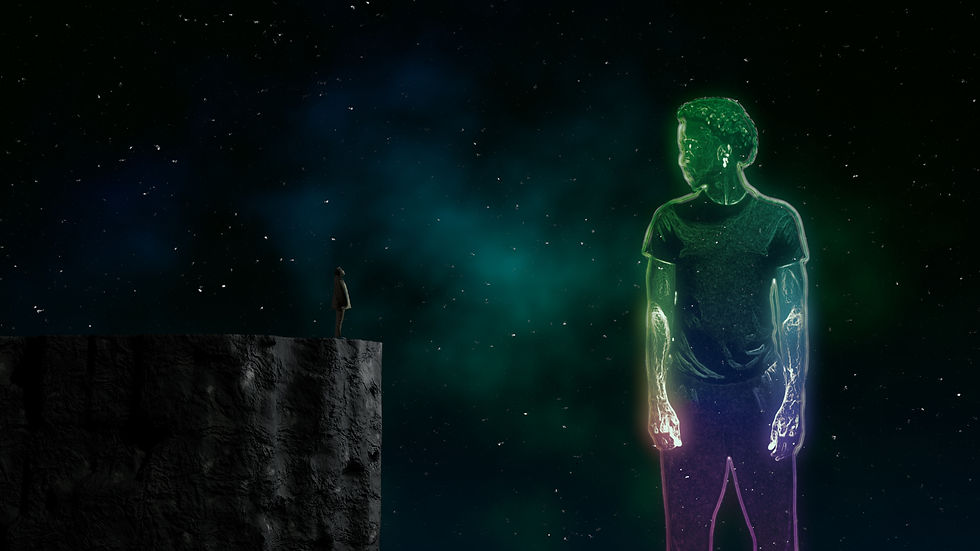
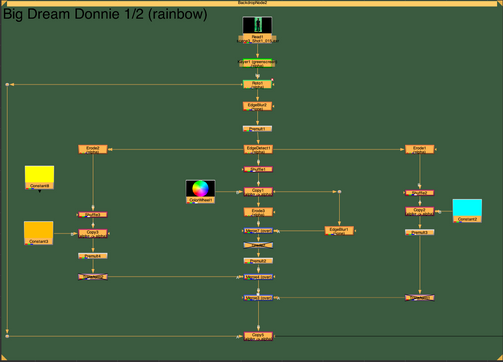
Scene 3 is where a lot of the shots become more CG. For Dream Donnie, I wanted him to have a more stylized look. I played around in Nuke and ended up using the edge detect node combined with the color wheel and different types of merges to get this look.
For the background, I just used noise with the color wheel. I only used the blue and green channel for the colored part. For the stars I made the noise really small, added a grade node, and increased the gain. I added a noise node as the mask to that grade so that some of the starts were more dim than others. I then added a couple keyframes so the stars pulsed a little.
I created the cliff in Houdini. I started by following a tutorial. However, it was more of a summary than a tutorial, so I ended up venturing off after the copy to points section.
Instead of making an attribute vop, I just added the different types of noises below everything. For the material, I combined 2 different noises for the color and then 1 noise for the bump. I used Redshift to render.



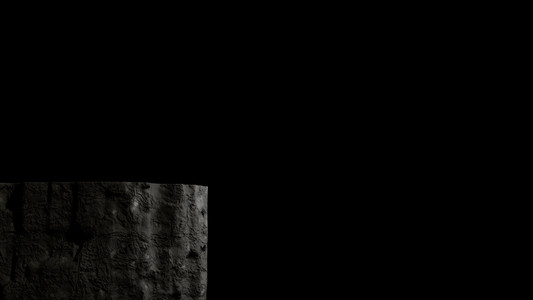
Tutorial I started with:
Node graph in Nuke:







2/3/23
I worked more on scene 5. I finished the roto work for the shot I was working on in the last post. I am continuing to get good alphas from the rest of the shots in this scene. I also created and lit the white room in Houdini.
I am having trouble with scene 5 shot 2. I was able to get a good alpha through keylights and roto, but I am having trouble with the shadow. I keyed out the shadow and added it back, it just doesn't look good. I blurred it a lot because when it is sharp, you can tell that the shadow is on fabric. I'm thinking I can paint parts of the ruffle out. I am also considering replacing this shot since it has been so time consuming.

Many of the other shots in this scene need the drawing process and the finished drawings on the wall.
Comments