

Week 2
- dejamichele
- Apr 8, 2022
- 1 min read
Updated: Apr 14, 2022
I went to Kroger this weekend and found out that peaches were back in season. However, this first batch didn't really turn out good and I bought a bunch of hard peaches that were brown on the inside. Due to the tragedy, the peaches were used as my 2nd object for the project and rolled around my floor for reference.
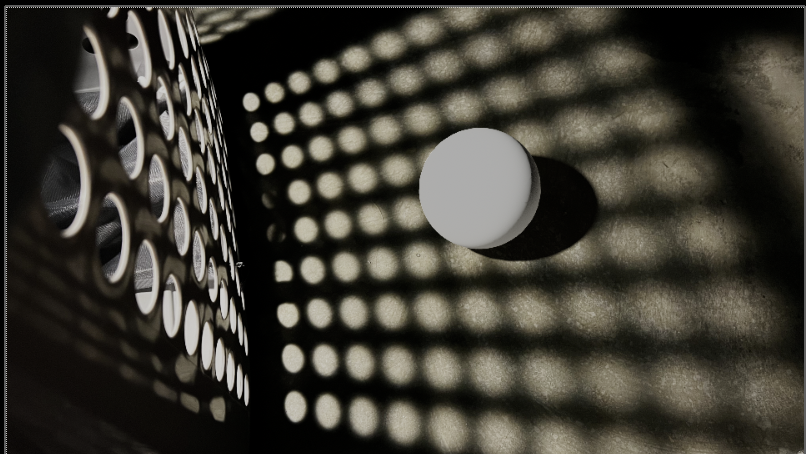
In Maya, I was able to get shadow in the right spot and rendered the ball and shadow in different layers with 4 AOV's (diffuse direct, diffuse indirect, specular directs, specular indirect). I then moved into Nuke to put them over the clean plate. I used the shadow layer to merge the shadow plate over the clean one.
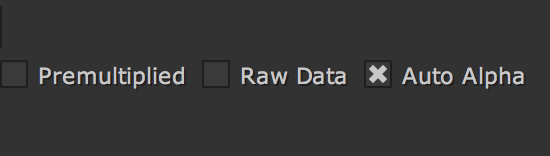
The shadow was super light and I couldn't figure out why. I had skipped a step that was very important to getting that shadow the right color. When you read in the shadow pass, you have to click on auto alpha. That made it much darker immediately. Another thing that helped was applying a grade node to the shadow layer from Maya. The layer was not fully solid so adding a grade node and decreasing the whitepoint helped me get it there. However, the shadow still wasn't dark enough, so I added a color correct to the shadow pass.


Comments