

Week 3
- dejamichele
- Apr 14, 2022
- 2 min read
Updated: Apr 18, 2022
This week I finished camera tracking. Shot 2 took my multiple tries and took me so long to figure out what I was doing wrong. Every time I tracked the camera in Nuke and put a ground plane in, it looked fine to me. However, when Allie import it into Maya, the ground plane wouldn't stick on the edges. I looked back at a file I had from the camera tracking project I did in compositing class and saw that the was a lens distort node in it. Turns out the camera was distorted on the edged and was making the ground plane look warped in Nuke. So I undistorted during the camera track and then wrote out the undistorted images, imported that new sequence and tracked again. It looked a little odd in Nuke but worked great when Allie imported it into Maya.
distorted undistorted



working in Maya
This week I also continued with the pyro for shot 1. I learned a lot this week on how to achieve the look I want. I believe what I have now is a lot closer to my references. The notes I got from the mentors were to limit my use of turbulence and make sure I'm using a good amount of disturbance and density. They also told me to work at 10x the size I was. After hearing that and going back into my Houdini file, I realized that the car I imported was at .1 scale. After turning that to 1 and increasing the scale of my pyro, I began to see better results.
end of last week
beginning of this week
I was having a hard time getting my pyro to be puffy. It's hard to find tutorials on sparse pyro, many of the tutorials use legacy pyro, so I had a lot of trial and error. I decided to kind of start over and not worry about position yet. I started to see better results when I began to mess with the dissipation ramp. I also needed it to form faster, so I increased the timescale to 2, added a trail to the source, and increased the velocity to 5.


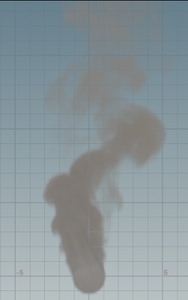
I was getting too much movement from the source, so I decreased the amplitude from 2 to 0 and got the result on the left. For the result on the right, I increased the amplitude to 1 and set the noise offset to 0.5. I also increased the disturbance to 30. I figured these 2 could work well when layered on top of each other.

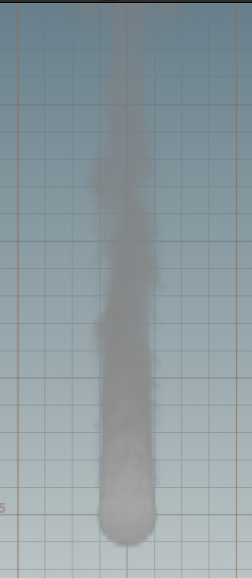

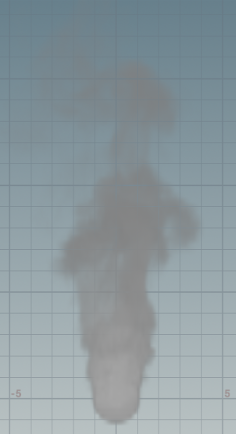
This is a playblast from the pyro on the left. The playblast for the one on the right didn't save correctly, but they look very similar. The pyro on the right just has a little more movement from the base causing it to be wider.
I am now doing render test to see how they look layered on our background. For now I just have the HDR lighting the scene. I have everything cached out and ready to go on the farm. Results of these renders and composites will be in my week 4 update.

Comments