

Week 8
- dejamichele
- May 22, 2022
- 4 min read
Updated: May 24, 2022
Final Result:
Improved separation
Improved lighting, separation, and bounce
Things to work on this week:
Increase the velocity of the pyro
Have the pyro stop bouncing once it speeds up
Fix the puffs/separation of pyro once the car takes off
5/22
The previous day, I got curious on what a render would look like with substeps at 3. I'm not too sure what it was about it, but I became content with 2 substeps after I saw it. It almost gets crunchy as it dissipates. However this is the first one without motion blur, so it was good to see that the pyro was no longer coming through the car.
This was the difference between last nights render with motion blur (left) and todays render without motion blur (right).
For the next render I went back to 2 substeps and increased the disturbance in the beginning to 15 in hopes of getting some of the "whimsical" edges I was getting to prior renders with 1 substep. I also decreased the shredding and amplitude of the pyro to 0 when the car takes off to address the mentors comments about the pyro kind of bouncing instead of being more straight like it realistically would.
Something went wrong in the beginning, but the ending was the most important/different part.
I had also adjusted the lighting settings on that last render in attempt to get rid of the sharp line. I looked at each light (key, fill, and rim) in order to figure out which light(s) was causing the issue. So the rim light was the issue and increasing the sun angle was the solution...for now. I'm going to get some feedback, but I may say goodbye to the rim light.
with rim light without


rim alone increased sun angle




I didn't like how straight the pyro became when it took off and wanted add just a little bit of the bounce or waviness back. I increased the shredding to 0.25 which is half of what I had it before taking it away. There was absolutely no difference in that render. So it was the amplitude that was causing it and I will be increasing that slightly for my next test render.
5/21
I knew that increasing substeps was going to increase render time, but I was surprised when it changed the starting frame of my pyro. I had the pyro sim starting at frame 420 so that it had 30 frames to form before being in the shot. When I increases the substeps to 2, the pyro began around frame 100. This was a problem because I would have to cache out 300+ more frames than needed and that was time consuming. I tried googling the problem and asking Professor Fowler, but it didn't seem like anybody ever had the same issue. The problem was that I changed the creation frame of the pyro inside the DOP instead of at the top level. Once I reverted back to default and change the creation/start frame at the top level I realized that it automatically changes it in the DOP.

So there was a weird thing that still happened with changing it at the top level. It wasn't as accurate at what frame it would start at. When the I changed the substeps, I had to make the start frame earlier to get it to start at 420.

Another problem was how the pyro came out of the car near the end. I had tried to solve this before by scaling my matte objects in the y axis so that we just wouldn't see it. That did not work, so I had to figure out what was causing it. It turns out that it was the motion blur.
motion blur no motion blur
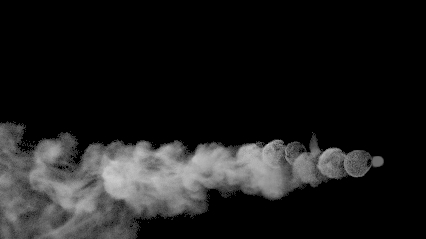
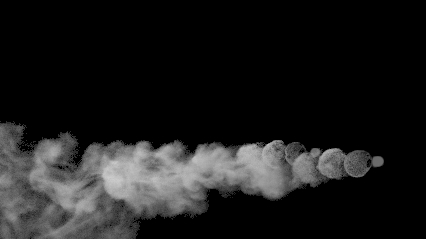
I decided not to go too crazy for my first vdb with substeps because just increasing it to 2 kind of got rid of it in the viewport.




This was the result. I had brought back the motion blur a little bit for this render because I thought I adjusted the setting that was causing the problem. I thought wrong, so its turned off completely for every render after this. I was a little bit disappointed with this render because my pyro behavior changed due to the increase in substeps. It is a little less whimsical and is more clumpy and uniform in the beginning.
5/17 - 5/19
The week started off a little slow because it was taking longer to see results. I didn't have the pyro starting till frame 420, but for some reason it was taking hours to cook up to there. I don't know what was causing this, but I went back to a prior file and it didn't do it so I just started working from that version again.
To get rid of the puffs, I first tried increasing the disturbance, but I don't think I increased it enough because I didn't see much of a difference. Both Professor Fowler and my teammate Mitch suggested increasing substeps to get rid of the puff. So that is what I'm going to try next.
Comments