

Week 8
- dejamichele
- Nov 4, 2022
- 6 min read
Updated: Nov 8, 2022
November 7th, 2022
I warped the arm piece in Photoshop so that it has a more similar shape to the arm. The only problem I ran into with this was that the lighting pass from Maya isn't warped so I would have to try and match them as close as possible.

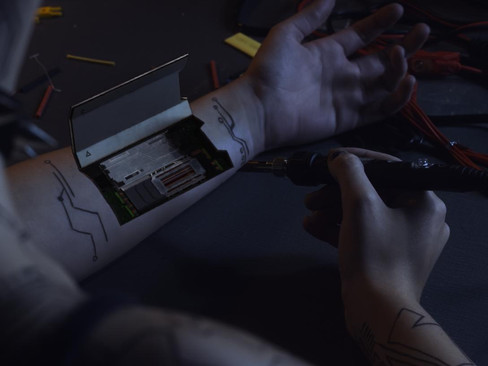


I also worked on adding the shadow back over. It can be seen in the video at the top. I plan to add another layer of shadow that is darker and smaller.
I am still working on getting the glow where I like it. I tried merge(minus) and merge(over) and I kind of like both of them. I think minus may be adding more depth to the lines.
minus:
over:
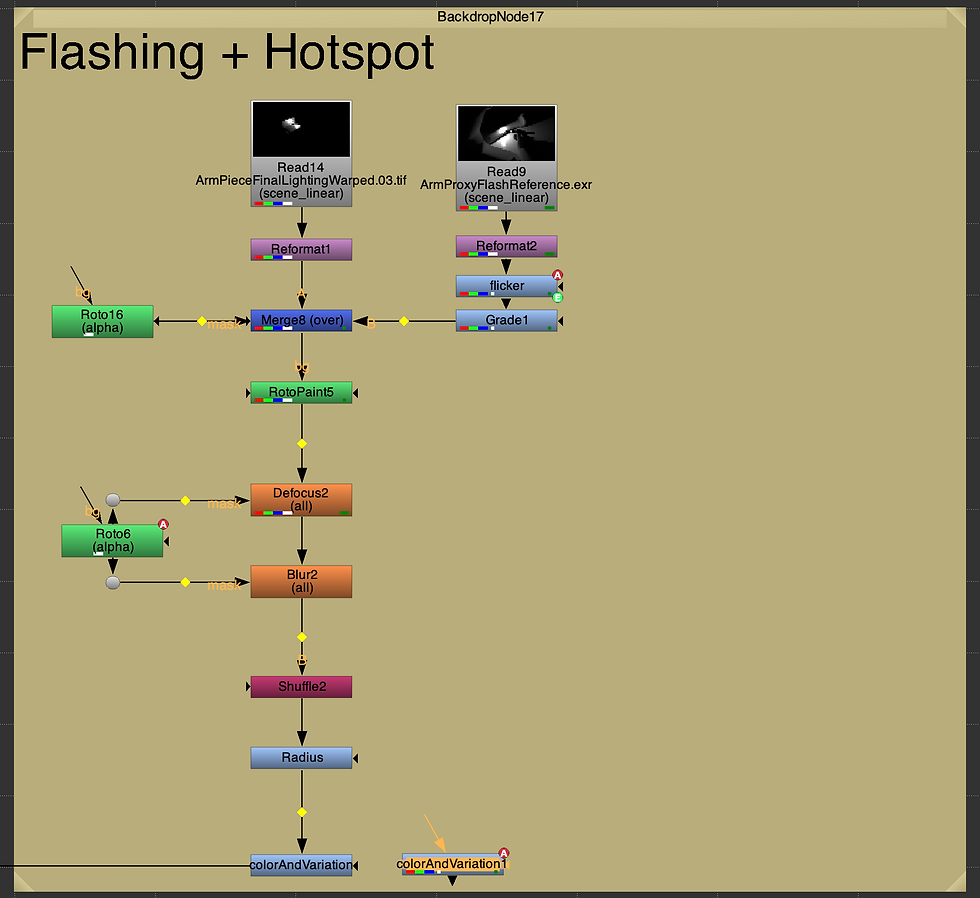
This is my new set up for the flash. This one contains the expression used to get the flickering. I had to make some adjustments after that to get it to look right again. I took away the intensity animation that I had done before because the flickering was enough.
November 5th, 2022
Me and Eugene met up today to try and get the updated model rendered again. Every time I would render it, a texture would be missing or the metal didn't look right. I ended up deleting all the textures from my file, flushing the cache, and deleting all the history. I'm not sure which fixed the problem, but when I imported both of our files into a new one, everything worked. I also updated the fill lights to not be as harsh on the metal to where it was causing lines. I then updated the position of the area light for the flash lighting.


November 4th, 2022
Yesterday and today, I was able to find some references to base the glow off of. Many of them are CG, but I also looked at many videos of lava. Here are the best references:
(start at 0:50)
(1:59)
(1:47)
(3:00)
November 3rd, 2022
I updated the right arm, fingers, and pen in Maya so they matched the correct frame range. I also modeled there the shoulder, neck, and face would be just in case light was hitting over there and I just couldn't see it.


I brought it into Nuke and the match still wasn't perfect because the model isn't perfect, but I am going to blur the light so you can't really tell.
So below is the result I am getting right now. I still need to fix that hotspot on the table. I think the one reflecting off the metal may be a bit much as well. It would look better if it matched the lighting I had yesterday. I think the hotspot on the pen could also be a little more transparent and fall off a bit more. I will also be looking back at the material on the arm because there is no lighting interaction with the left part of the arm when I feel there should be since it reaches the other arm, shoulder, and finger tips.
I dialed back the area that the light would reach a little bit with a grade. Before it was hitting a lot of the shoulder and neck and the table beyond the right arm.

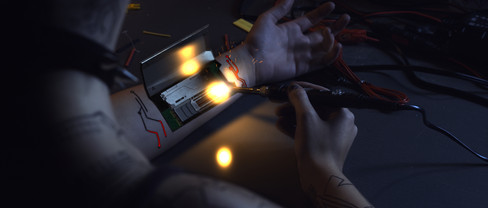


I animated the grade node to change the intensity of the flash as she changes the pressure into her arm. I also added a flicker to the light by customizing the expression I seen in this tutorial:
*insert video of flash +flicker*
I made the flash an orange color to match my sparks, but it is different than the yellowish color Joleen made her flash to match her sparks. I need to get together with her to discuss more about the look since our flashes are different colors and intensities. I think the intensity difference is coming from how far her sparks come out compared to mine. I'm not sure if hers are as adjustable due to them being a 2D asset and I don't want them to get lost in the scene. However, a soldering tool technically wouldn't be giving sparks at all, so I don't think we should push it too far.
Joleen's shot 2 progress: (https://joleenzhang.com/blog/scad-x-powerhousevfx/week8/)


I have also been working on a newer look for the glow. I searched a video from when Iron Man snapped in Avengers End Game and I think it is a good reference for how the glow could look. The first layer darkens the design on her skin. The second layer hints at the glow that is to come. It moves through the scene a step ahead of the glow. Then for the glow, I added a noise node to add more variation to it. I then animated it so that the variation would move throughout the lines. Right now the glow isn't moving in one direction and I kind of like that, but I may see what it would look like if the glow only moved in the direction that it is growing in.
I also changed the animation of the glow. At the start of shot 3, some of the glow will already be there since the work started before that scene. I also left the ending edges a little darker, like how the reference did, in attempt to add depth.

This is after I decided to play with the color, but it shows my first version of the flashing with the animated intensity (no flickering yet) and new glow animation.
November 2nd, 2022
After receiving advice from Monica and Nick, I have started a different approach at getting the hot spot, flashing, and glowing. Monica suggested that I create a version of the scene that is lit in CG and then bring that into Nuke to animate when the flash happens. Nick suggested that I luma key the brighter surfaces, key the bright areas of the CG render + blur it, then multiply that on top of the luma key alpha for fall off.
I had an extra help session with Professor Gaynor so she could walk me through what I needed to do to set up the lighting in Maya to use as a flash in Nuke. During that meting I realized I would have to model a bit more of the environment in order to get the most accurate lighting interactions.... Please keep in mind I'm not the best modeler and we are days away from week 9.
I extended the arm so that I had geometry where the hand and fingers were. Then I modeled the other hand, partial finger, and the soldering pen. A area light was put where the pen would be interacting with the arm piece that Eugene modeled. Her model and the pen model have an aiSurfaceShader on them because they are more metallic and reflective while the arms have a lambert shader on them since the reflections wouldn't be as harsh.


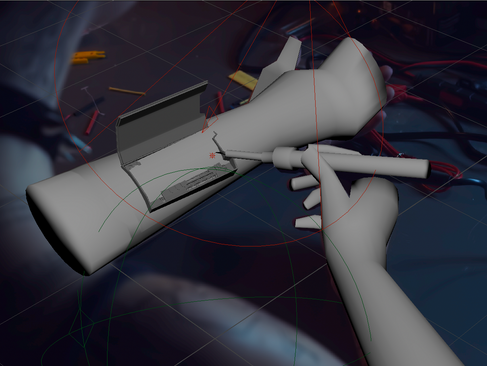


It wasn't until I imported it into Nuke that I realized that I never updated my Maya scene with the new frame range. So the right hand and pen position did not match up. I also need to change the material on the table, the hot spot reflection is way too sharp.
Nick also suggested that I have layers for the glow in the arm so it is more complex.
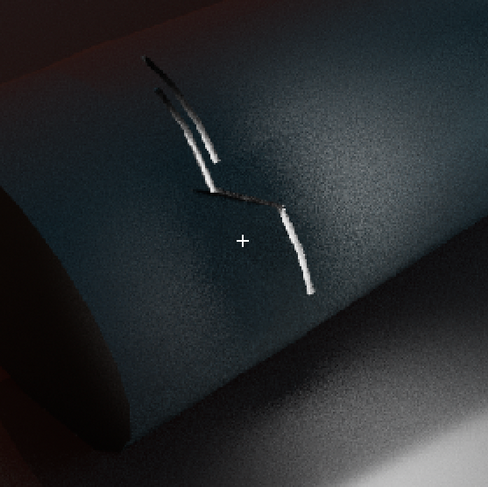
At this point, I have had little success with finding a good reference on how this is supposed to look. So I copied the design on her arm in CG then extruded the faces down then deleted them. I put a light inside the arm to see what it would look like. There is definitely more variation of values. I think that the darker areas really show off the depth of the lines. I had attempted to do that with the black outline I was working with before, but was unsuccessful. I think if I make the outline less uniform and frequent it will work better.



November 1st, 2022
I am not really liking the glow anymore. I liked it with the edge detect, but the node is not the most reliable thing. The look isn't consistent. It also doesn't look too realistic to have black lines just outlining parts of the main line. The alphas that I made are giving me a consistent result, but it looks really plain and basic.
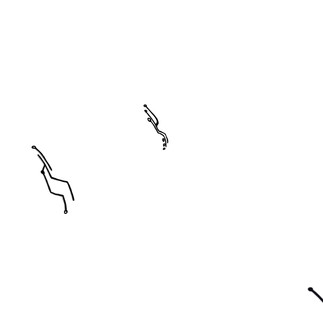
I made these 2 alphas with the intention of having a black outline that surrounded the glow. I ended up not liking the look, so I tried having the outline be a metal material instead. I multiplied it over in order to keep the same lighting information, but I determined that I just didn't like the outline.



Monica suggested that I freeze the entire from the wrist to the elbow instead of trying to fight with the track. I think it looks pretty good right now, I may need to do a little more work towards the end though. The arm moves a little too much.
Comments